Why All the Agent Apps the Same
OpenAI Dots, Grok Bot, Muse by Meta, and so on all use the same look and feel for their bot UIs. Why?
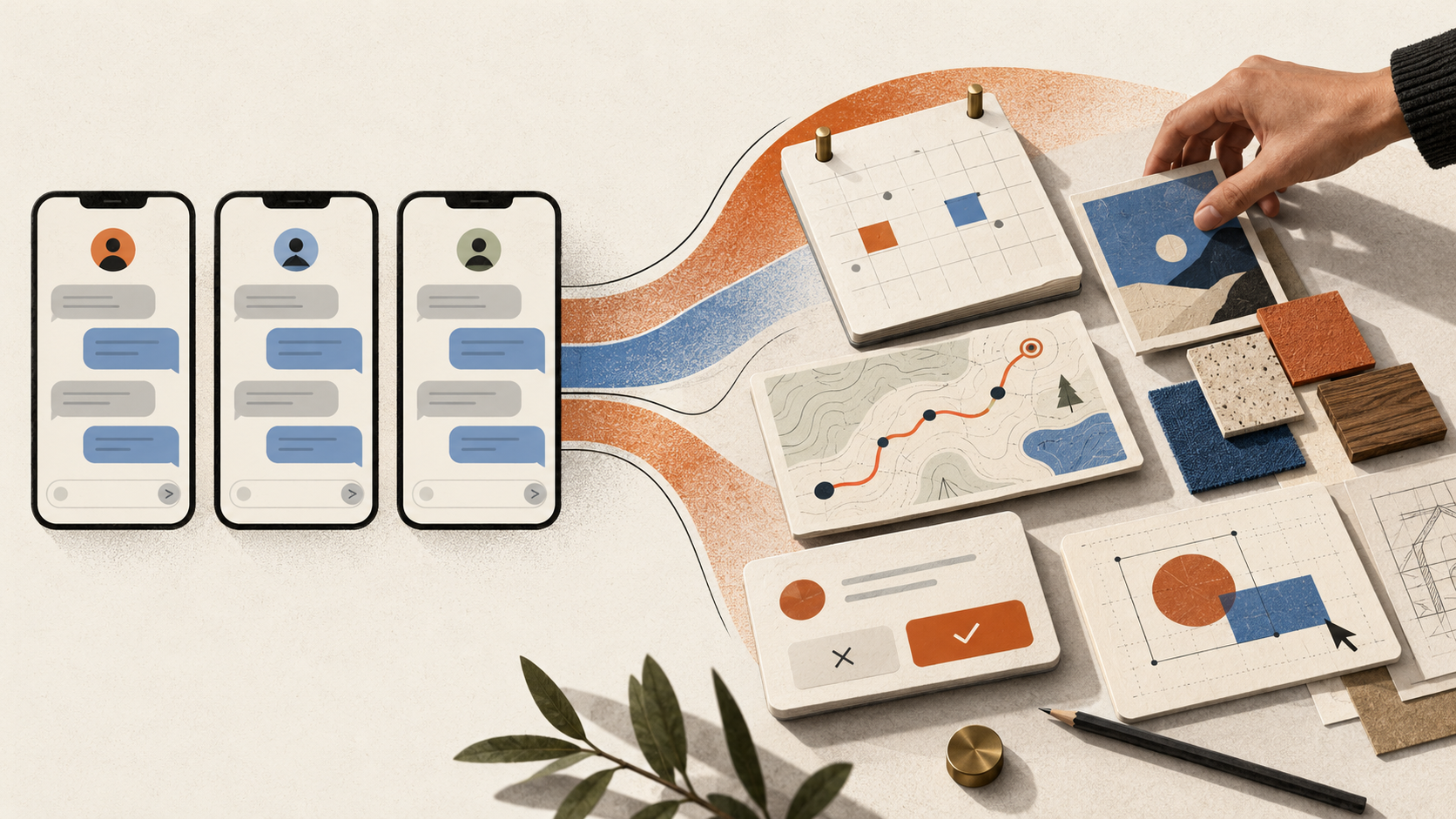
AI assistants are starting to look like members of the same family.
OpenAI’s Dots, Grok Bot, and Meta’s Muse have different capabilities and ambitions, but the experience often feels familiar: a named assistant, a conversation, a place to type, and updates that arrive like messages from someone you know.
That resemblance makes sense. These products need to make a strange new idea feel ordinary: software that remembers what you want and keeps working after you leave.
For brands and app builders, though, it raises a useful question. How much of this familiar design helps the customer, and how much have we simply accepted as the default?
There is room to build something more distinctive—and more useful—around the work people actually need done.
Why bot interfaces keep converging
Messaging gives people a place to start
Most people already know how to ask someone for help in a message. A conversation gives them a familiar way to describe a goal, add context, and correct a misunderstanding.
The product teams say this explicitly. Grok Bot’s introduction emphasizes messaging an agent like a colleague. Meta’s launch describes Muse as working through the same kind of messaging people already use, including WhatsApp. [1][2]
That is a practical answer to a difficult onboarding problem. A general assistant might help with travel, research, shopping, documents, and dozens of other tasks. Building a separate starting screen for every possibility would be a substantial design challenge. A message box can accept all of them.
The tradeoff comes later. The same blank box that accepts almost anything also asks the customer to work out what is possible and how to request it.
A character makes ongoing work feel personal
A named assistant gives a continuing relationship a recognizable identity. It helps people distinguish “the thing I asked yesterday” from a collection of unrelated searches.
Meta’s designers offer a candid explanation: talking to a corporate logo felt odd during long-running conversations, and people wanted to create their own avatar, name, and style. They also explain that chat bubbles help separate thoughts when both the person and the agent can send several messages without waiting. [3]
My broader interpretation is that friendly characters and restrained interfaces help make unfamiliar automation approachable. A small character can suggest presence while leaving most of the screen to the conversation.
But approachability and reliability are separate qualities. A charming avatar cannot tell you whether an agent checked the right information or actually completed the job. The design still needs to make those things visible.
Chat fits the technology and the business model
Language is a flexible way to hand work to a language-based system. It can handle incomplete requests, follow-up questions, and exceptions without requiring a designer to predict every possible path.
There is also a likely economic incentive. A reusable chat interface lets a team introduce capabilities without designing an entirely new experience each time. Established interface components and familiar conventions can reduce the work involved in shipping and explaining a product.
Those are plausible reasons for convergence, rather than evidence that all three companies followed the same design brief.
For a broad platform, a general interface can be a sensible choice. A specialized business has a different opportunity: it can know far more about the task its customer came to finish.
Where a conversation starts to get in the way
Imagine asking an assistant to help you buy a custom dining table.
A conversation is useful for explaining that you have a narrow room, two children, and a preference for walnut. It becomes less useful when you need to compare dimensions, finishes, prices, and delivery dates across six options.
At that point, a visual comparison could let you see the differences at once. A room layout could help you check clearance. A materials view could make the finish easier to judge.
The same issue appears in ongoing work. A thread records events in the order they happened. A person returning to a project often needs a different arrangement: what is finished, what is blocked, and what needs a decision.
If an assistant handles ten tasks, ten streams of updates can create a new management job for the customer.
Good interaction design reduces that burden. It gives the work a useful shape and keeps that shape available after the conversation moves on.
The next interface can follow the task
This change is already underway. Claude’s Artifacts support work on documents, designs, and dashboards through both conversation and direct editing. OpenAI describes Dots working across projects and providing controls for permissions and activity. Meta’s designers discuss goals, structured approval controls, and interactive artifacts alongside chat. [3][4][5]
The opportunity is to make these approaches fit a particular customer experience.
Consider a few possible designs:
| Customer task | An interface built around the task |
|---|---|
| Choose a custom piece of furniture | A visual workspace for dimensions, materials, room fit, price, and delivery, with conversation available for questions |
| Approve an auto repair | Photos tied to each proposed repair, an itemized estimate, clear approval choices, and a way to reach the mechanic |
| Plan a trip | A shared map and itinerary with travel times, budget, booking status, and alternatives that can be compared directly |
| Review a business campaign | Draft assets beside their audience, cost, timing, and approval status, with changes visible before anything is sent |
In each case, the bot can interpret the request, prepare the work, and explain the choices. The screen gives the person a practical way to inspect and change the result.
That combination also respects different preferences. Someone can describe a date change in a sentence or select the date directly. A customer should not have to write a prompt for every small adjustment.
Make delegation visible
As bots gain the ability to take action, the interface needs to answer questions that a chat transcript can leave buried.
What is the agent working on? Which information did it use? What has actually changed? What still needs my decision?
A useful approval screen might show the exact message and its recipients, or the full order total and delivery address. The action button should say “Send this email” or “Place this order,” so the consequence is clear.
Ongoing work needs equally clear states: preparing, waiting for information, ready for review, and complete. Those states should reflect confirmed events. An agent saying it booked an appointment is different from receiving a booking confirmation.
Correction matters just as much. People need ways to pause work, change an assumption, revise remembered preferences, and reach a human. Where an action can be reversed, the interface should explain how.
These principles have roots in earlier human–AI interaction research. Microsoft’s guidelines call for clear expectations, efficient correction, explanations of system behavior, and user control. [6] More capable bots make those principles more consequential.
A brand can express itself through behavior
A brand’s bot can have a recognizable voice and visual style. Its deeper identity will come from how it helps.
For a furniture maker, that might mean patient guidance through materials and proportions. For a repair shop, it might mean showing what was found, explaining the available choices, and putting the customer in control of the bill.
A hospitality brand might distinguish itself by remembering a guest’s preferences while making them easy to review. A business software company might earn loyalty by spotting an exception, preparing a fix, and presenting a short, useful decision.
These behaviors require choices about the service itself: what the bot should know, what it should ask, when it should act, and when a person should step in.
Colors, typography, motion, and character design can reinforce those choices. Together, they can make the experience feel like it belongs to the business.
The test is practical: does the design make the customer’s task clearer, easier, or more reassuring? Novelty alone is a weak reason to change a familiar control.
Three shifts worth designing for
The first shift is from answering to acting. Once software can change things outside the conversation, progress, permissions, and confirmation become central parts of the experience.
The second is toward interfaces that adapt to the work. An assistant might present a comparison for one task and a calendar for another. Builders can explore this with a tested set of components, while keeping navigation and important controls consistent.
The third is that the customer’s own assistant may become another way into the business. Alongside a website for people, a company may need reliable ways for agents to find current availability, understand product options, and submit a request. That creates design work on both sides: making the information usable and deciding which actions the business will accept.
These shifts will develop unevenly. They are useful directions for experiments, rather than a reason to replace every existing screen with an agent.
How Foundri can help you explore it
At Foundri, we would start with a customer task that already matters to your business: choosing a product, getting an estimate, completing an application, or reviewing work.
We would map the current experience, identify where people hesitate or repeat themselves, and decide which parts could benefit from a bot. Then we would prototype the interaction around that task.
The prototype should include the difficult moments: missing information, an incorrect recommendation, a delayed result, and a request that needs a person. Those moments reveal whether the design holds up beyond the demo.
Testing can focus on concrete outcomes: how many people finish the task, how long it takes, what they misunderstand, and how often staff need to intervene. A small pilot can then connect the experience to the systems the business actually uses.
Sometimes the right result will include plenty of chat. Sometimes it will be a visual workspace, a short guided flow, or a useful suggestion inside an existing app.
The aim is to give customers an experience that understands their task and helps them complete it.
If you have a customer journey that feels harder than it should, bring it to Foundri. We can help you explore where a bot belongs and design how people will work with it.
Talk to Foundri about your project
-
Introducing Grok Bot, August 11, 2026.
-
Introducing Muse, Meta, September 2026.
-
How We Designed Muse, Mona Sarantakos with Christine Awad, September 2026.
-
Dots, OpenAI. Accessed October 22, 2026.
-
Artifacts, Anthropic. Accessed October 22, 2026.
-
Guidelines for Human–AI Interaction, Microsoft Research, March 5, 2019.
Written by Foundri Studio
Talk to us about agents in your business →